
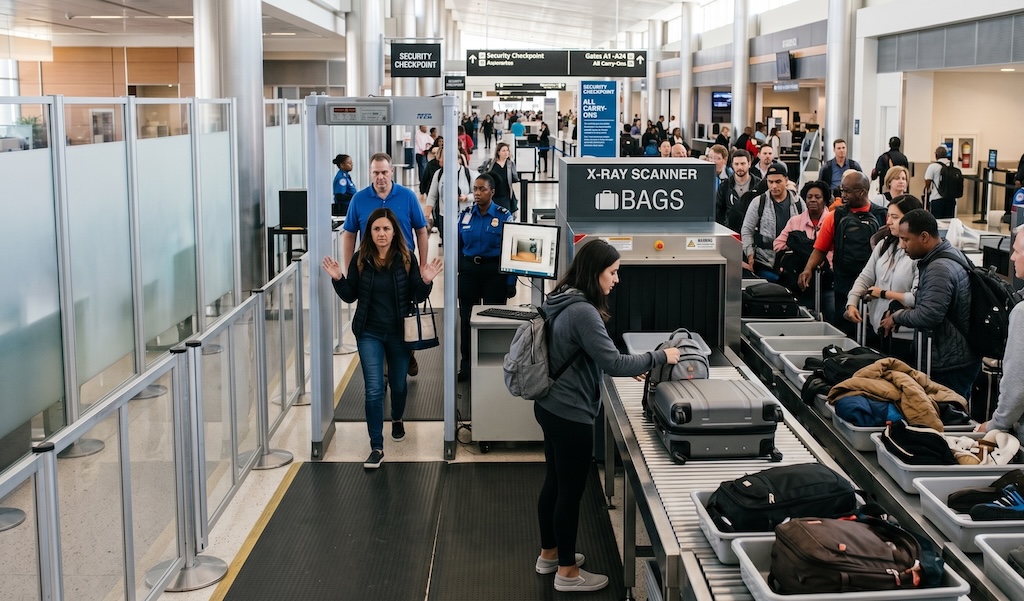
Imagine this: you’ve aced the check-in line, your boarding pass is scanned, and you’re one step away from the terminal oasis. You place your backpack on the conveyor belt, walk through the metal detector, and… beep. Your bag gets pulled aside for a manual search.
As a security officer painstakingly unzips every pocket, you’re left wondering: What did I even do wrong? Everything in there is legal!
Getting your bag flagged at airport security is a major travel buzzkill, but it rarely means you’re a suspected criminal. Usually, it just means you packed your bag in a way that accidentally blinded the X-ray machine. Here is an insider look at how airport scanners work and why your tangled nest of electronic accessories is the ultimate culprit.
How Airport X-Ray Scanners “See” Your Stuff
To understand why your bag got rejected, you first need to understand that airport X-ray machines don’t just take a black-and-white picture of your luggage. They are highly sophisticated dual-energy X-ray systems that look at the density and atomic composition of objects.
The scanner’s software translates these material densities into color-coded categories on the operator’s screen:
- Orange: Organic materials (paper, food, clothing, leather, and liquids).
- Green or Blue: Inorganic materials, primarily medium-density metals (aluminum) and glass.
- Black or Dark Blue: High-density materials and heavy metals (lead, iron, gold).
An experienced airport security officer isn’t just looking for a cartoon silhouette of a weapon; they are looking for inconsistencies, anomalies, and shielding — which brings us to the main reason bags get flagged.
The Core Culprit: “Clutter and Shielding”
The number one reason bags get rejected is visual clutter.
When you pack your bag tightly, items stack on top of one another. In a 2D X-ray view, a laptop stacked on top of a dense book, which is stacked on top of a mass of charging cables and a cosmetic bag, creates an impenetrable dark blob on the screen.
What is Shielding? “Shielding” occurs when an object is so dense, or when so many items are layered together, that the X-ray beams cannot penetrate them. If the operator cannot see through an item to verify what’s behind or inside it, they are required by law to pull the bag for a physical inspection.
Why You Need to “Spread” Your Electronic Accessories
We all know the rule about taking out laptops and tablets (unless you’re lucky enough to go through a modern CT scanner), but why do officers care so much about your chargers, power banks, and cables?
1. The Anatomy of a Threat vs. The Anatomy of a Charger
From an X-ray perspective, a dense tangle of wires, circuit boards, and lithium-ion batteries looks dangerously similar to an Improvised Explosive Device (IED). A bomb typically requires a power source (battery), a trigger mechanism (wires/circuits), and an explosive charge (organic mass).
If your bag contains a massive clump of external batteries, tangled USB cords, and an e-reader all mashed together, the X-ray screen shows a dense, chaotic mix of orange (organic plastics) and blue/black (wires and batteries). To an operator scanning a bag every few seconds, that clump mimics the components of a threat.
2. Lithium Batteries are High-Density Blockers
Power banks and laptop batteries are incredibly dense blocks of lithium and metal. When they sit inside your bag, they cast a massive “shadow” on the X-ray screen. By spreading your electronics out—either in a single layer inside your bag or placing them in a separate bin — you allow the X-ray beams to pass cleanly through each individual item.
3. Wire Clutter Creates Scratches on the Image
Think of a mass of tangled charging cables like static on a television screen. The crisscrossing wires create visual noise that masks other items. When you lay cables flat or organize them neatly in a single-layer tech pouch, the operator can instantly identify them as harmless accessories.
Quick Tips to Avoid the Dreaded “Bag Check”
If you want to breeze through security like a seasoned pro, adapt your packing strategy to accommodate the X-ray machine’s “eyes”:
- Ditch the “Pigpile” Packing Style: Avoid stacking all your tech in one deep pocket. Instead, distribute your electronics across the width of your bag in a single layer.
- Use a Tech Organizer Pouch: Invest in a flat tech organizer where cables and bricks are held in place by elastic bands. When you reach security, you can easily pull the whole pouch out and lay it flat in the bin.
- Separate Large Blocks of Food: Weirdly enough, dense foods (like a block of cheese, a jar of peanut butter, or a thick stack of chocolate bars) register as dense organic matter — the exact same color and density profile as certain explosives. Keep large food items easily accessible to pull out if needed.
- Know Your Airport’s Tech: If the airport uses newer CT (Computed Tomography) scanners (the big, cylindrical machines where you don’t have to take anything out), you can leave your tech inside. These machines take a 3D image that the operator can rotate, eliminating the shielding issue. But if you see the older, rectangular flat-bed scanners, start unpacking!
Ultimately, security officers aren’t trying to slow you down. By understanding that they need a clear, unshielded view of your belongings, you can pack smarter, keep your tech spread out, and make it to your gate completely hassle-free.